

Edpuzzle for ESL Teachers: 2026 Honest Review
Every “best EdTech tools” listicle eventually mentions Edpuzzle, usually as a bullet point next to Flipgrid and Padlet. None of them tell you whether it actually works for a classroom where half the students are still building basic listening comprehension. This is a real test of Edpuzzle for ESL teachers: what it does well, what the free plan quietly takes away, and the one feature set — voiceover, audio notes, and auto-generated captions in 15 languages — that almost every generic review skips entirely.
What Edpuzzle Actually Does, Without the Marketing Copy
Edpuzzle turns any video — YouTube, Vimeo, National Geographic, or your own upload — into an interactive lesson. You drop in a video, then pause it at specific timestamps to insert multiple-choice questions, open-ended questions, or a comment. Students can’t skip ahead past a question; they have to answer it before the video continues. The teacher dashboard then shows exactly who watched, who rewatched a section, and how each student answered.
That rewatch data is the part that matters most for language teaching. A student who replays the same 15-second clip three times isn’t being lazy — they’re telling you exactly where their listening comprehension breaks down. No other tool in this review series surfaces that signal this directly.

The Feature ESL Reviews Always Skip: Voiceover, Audio Notes & Auto-Captions in 15 Languages
Every generic Edpuzzle review covers the same three features: multiple-choice questions, auto-grading, and Google Classroom integration. None of them mention the three features that actually make Edpuzzle useful for language learners specifically.
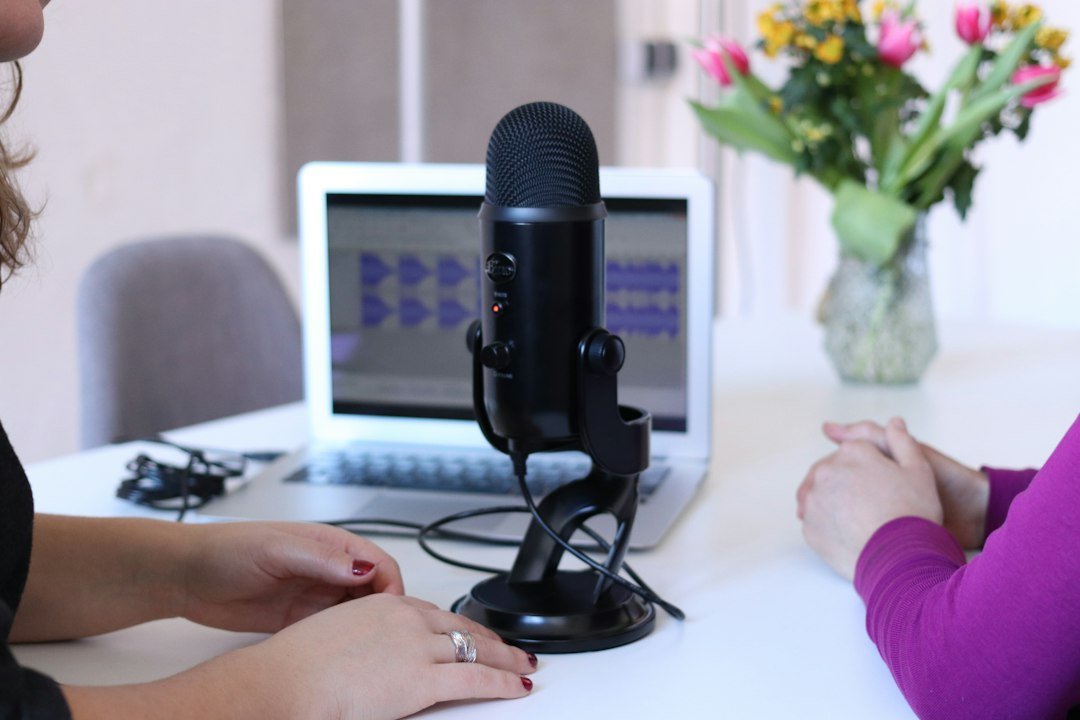
- Voiceover — you can record your own narration over any video you upload directly to Edpuzzle, in as many spots as you want. Use it to re-explain a line of dialogue at native speed, model the correct pronunciation of a vocabulary word, or give an instruction in simplified English before a tricky segment.
- Audio notes — insert a short audio comment at any timestamp; the video pauses while it plays. This is a clean way to define a word the moment it appears on screen instead of breaking the lesson to explain it separately.
- Auto-generated captions in 15 languages — Edpuzzle Originals and teacher-uploaded videos get auto-captioning, with options beyond English including Spanish, Portuguese, French, and Italian. For a multilingual classroom, this means a beginner can get L1 support on the same video a fluent classmate is watching without subtitles.
Stack those three together and Edpuzzle stops being “a quiz layer on top of YouTube” and becomes a genuine scaffolding tool — the video stays the same for the whole class, but the support around it adjusts per student.
Does Edpuzzle Work for True Beginners With Almost No English?
Partially. The multiple-choice format is the right call for low-level students — it removes the production burden and tests comprehension directly. Combined with captions in a student’s first language and a slowed-down voiceover explanation, a true beginner can follow a video that would otherwise be far above their level.
Where it breaks down is the open-ended question format, which assumes a student can type a sentence-length answer in English. For A1/A2 students, stick almost entirely to multiple-choice and save open-ended questions for intermediate classes and up.
Auto-Grading: What It Actually Grades (and the Open-Ended Catch)
Multiple-choice questions grade themselves instantly, which is the main time-saver teachers cite. The catch: open-ended questions are recorded as a zero in the gradebook until a teacher manually reviews and scores each one. On a class of 30+ students with a few open-ended questions per video, that manual grading queue adds up fast — budget for it, or keep open-ended questions to one or two per assignment.

Edpuzzle vs. Just Assigning a YouTube Video
The realistic comparison most teachers need isn’t Edpuzzle against another paid platform — it’s Edpuzzle against what they’re already doing: posting a YouTube link and hoping students watch the whole thing. Without a tool like this, there’s no way to confirm a student watched past the first 90 seconds, no comprehension check built into the viewing itself, and no data on which section confused them. Edpuzzle’s entire value is closing that gap for free, before a school ever has to consider the paid tier.

What Edpuzzle Costs, and What’s Actually Locked Behind Pro
The free Basic plan caps teachers at 20 active, assigned video lessons at a time — once you hit that limit, adding a new one means archiving an old one. For a single-section ESL class rotating through a handful of listening units, 20 active lessons is workable for most of a semester. The paid Pro Teacher plan removes that cap and adds expanded cross-class analytics, more supported assignments, and AI-assisted question generation, priced in the roughly $11-15/month range depending on the billing source and promotion — verify the current figure on edpuzzle.com before budgeting, since third-party pricing pages disagree with each other by a few dollars.
Two features specifically sit behind the paywall worth knowing about before you commit a class to the free plan: skip-prevention controls get more granular on Pro, and the detailed cross-classroom analytics are Pro-only. For a single ESL class, the free plan’s built-in skip-blocking already covers the core use case.
Where Edpuzzle Falls Short
The 20-activity ceiling on the free plan is a real planning constraint, not a minor inconvenience — teachers running multiple preps or long-term units will hit it. Google Classroom integration works most of the time but isn’t fully seamless, according to teacher feedback across review sites. And the voiceover feature only works on videos uploaded directly to Edpuzzle, not on YouTube videos pulled in by link — a licensing restriction from YouTube’s terms of service, not an Edpuzzle limitation, but it changes your workflow if you’d planned to narrate over existing YouTube content.

Setting Up Edpuzzle for an ESL Classroom in Under 30 Minutes
- Create a free teacher account and connect Google Classroom if that’s your LMS.
- Pick one short authentic-English video (a TED-Ed clip, a short interview, a simple vlog) under 5 minutes for a first run.
- Add 3-4 multiple-choice comprehension questions at natural pause points — right after key information is stated, not at random intervals.
- Turn on captions in students’ first language if your class is mixed-level or newly arrived.
- Record one short voiceover at the hardest section, explaining it in simpler English.
- Assign it, then check the “who rewatched what” data the next day before planning your follow-up lesson.

Is Edpuzzle Worth It for ESL Teachers?
Yes, for listening comprehension specifically. No other tool in this review series gives a teacher per-student rewatch data tied directly to video content, and the voiceover/audio-note/multilingual-caption combination is a genuine scaffolding feature set, not a marketing checkbox. The free plan’s 20-activity cap is the one real constraint — plan your rotation of active lessons around it, and Edpuzzle earns a permanent spot in an ESL listening curriculum without ever requiring the paid tier.
Források
- Edpuzzle Support Center — Free vs Pro plan comparison
- Edpuzzle Support Center — Voiceover and closed-captioning documentation
- G2 and Capterra verified teacher reviews, 2026








 HU
HU  EN
EN  ZH
ZH  ZH_CN
ZH_CN  KO
KO  VI
VI  FR
FR  AR
AR  ES
ES  HI
HI  PT
PT  BN
BN  RU
RU  JA
JA  TR
TR  DE
DE  IT
IT  PL
PL  ID
ID  TH
TH  FA
FA  UK
UK  TL
TL  HE
HE  UR
UR  SW
SW  RO
RO  NL
NL  MS
MS  TA
TA  PS
PS  EL
EL  SV
SV  NB
NB  NN
NN  DA
DA  CS
CS  SR
SR  AM
AM